Multipad Editor
A kit and sample editor for the Alesis Strike MultiPad.
Mac and Windows
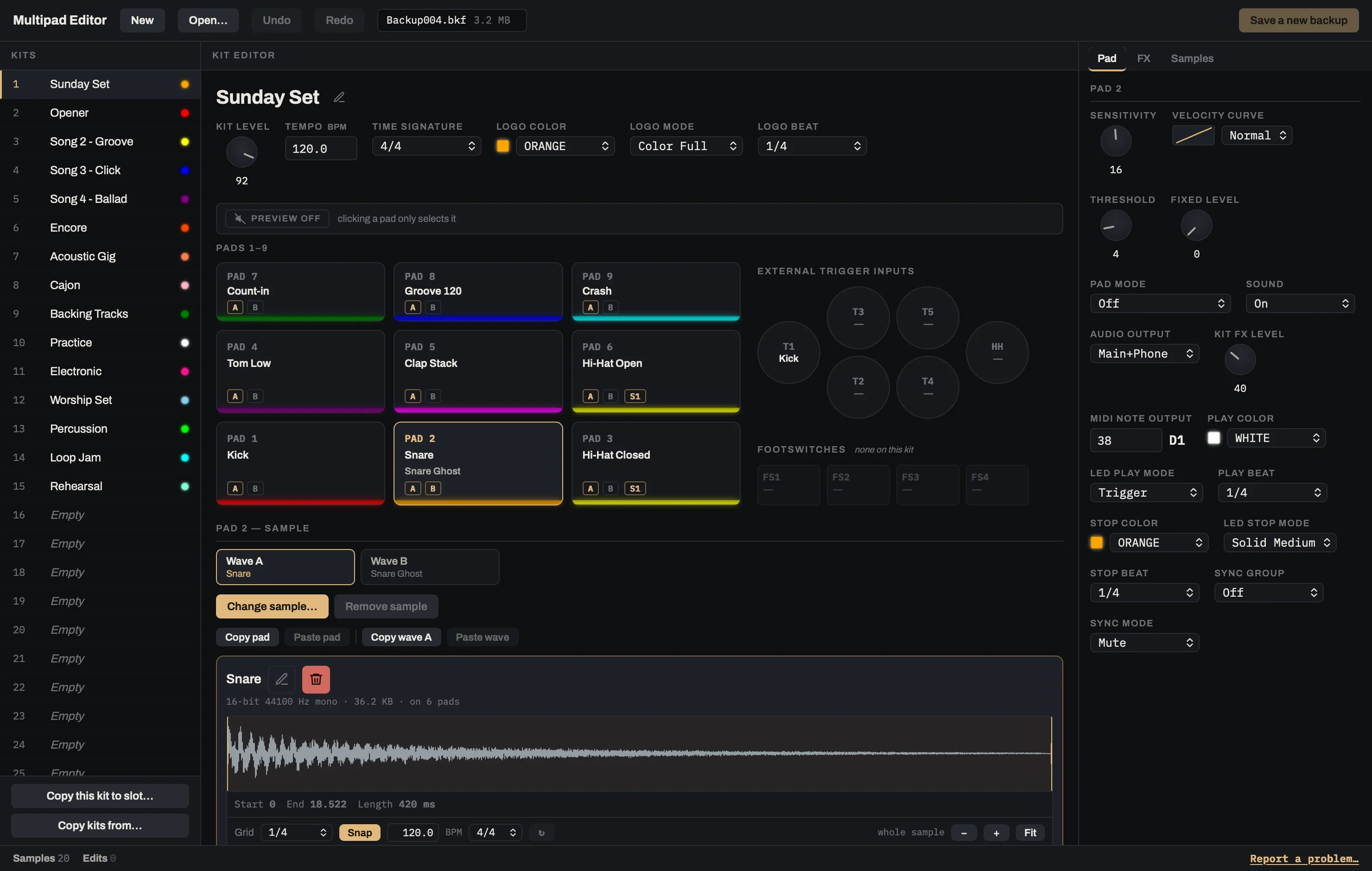
How it works
-
Back up the pad to a USB stick
The pad saves your kits and samples as one file.
-
Edit the backup here
Change kits, pads and samples, then save a new backup.
-
Load it back on the pad
Loading replaces the kits on the pad, so start from your latest backup.
What you can edit
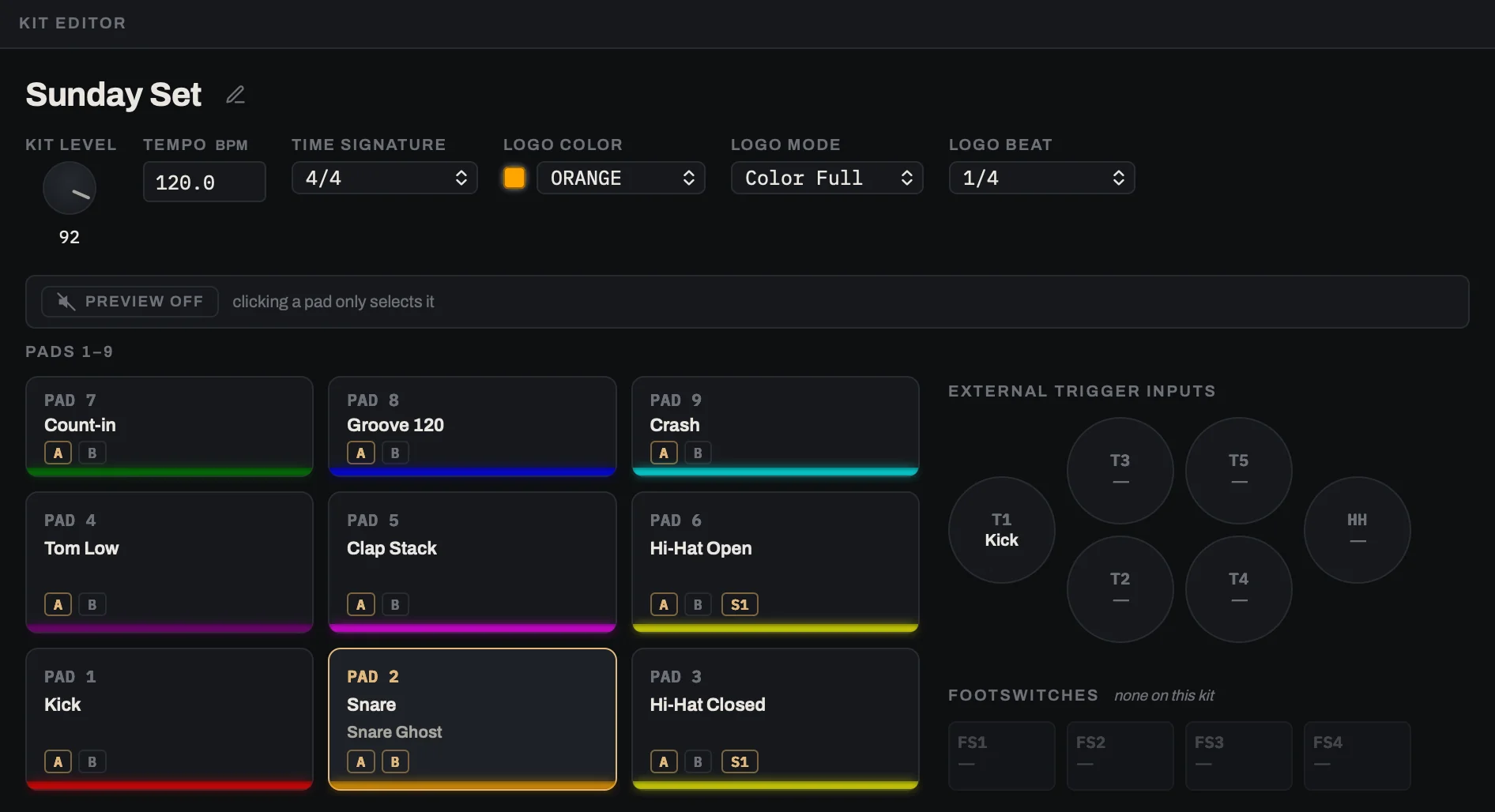
Kits
Every pad, layer, effect and setting of a kit on one screen.
- The nine pads in the same layout as the pad
- Six effects, picked by name
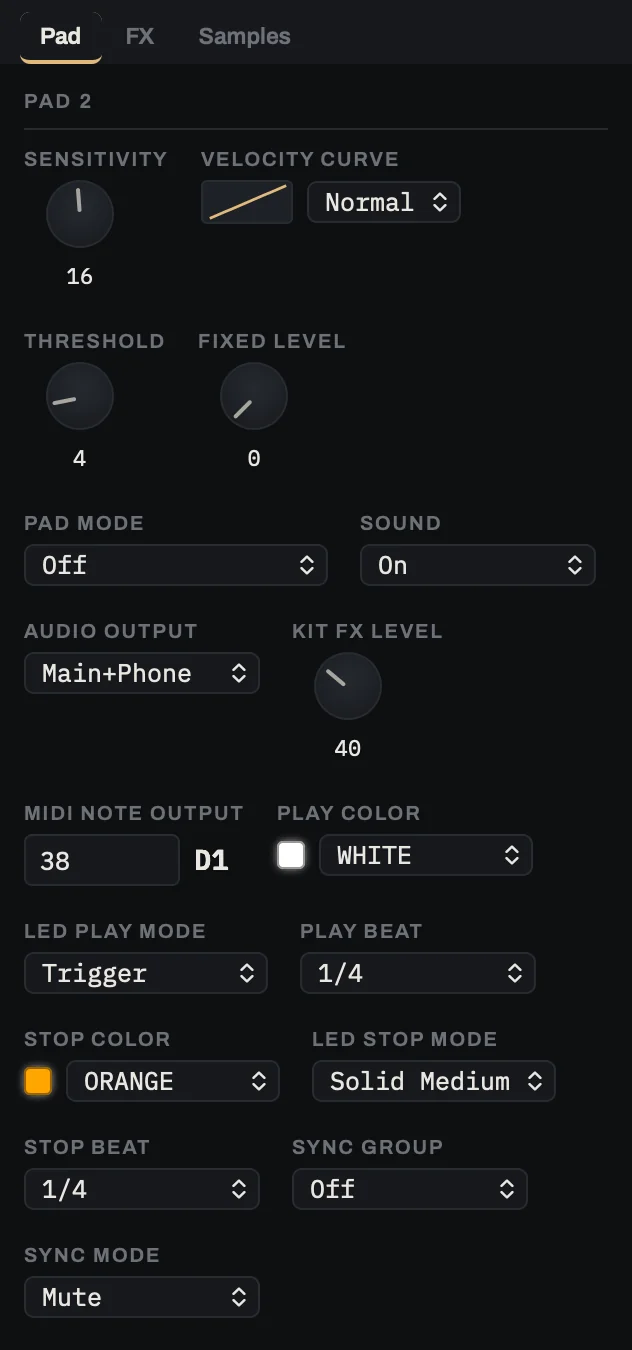
Pad settings
Sensitivity, velocity curve, LED colors and the rest, each with a note on what it does.
- Only the values the pad itself offers
- Copy a whole pad onto another
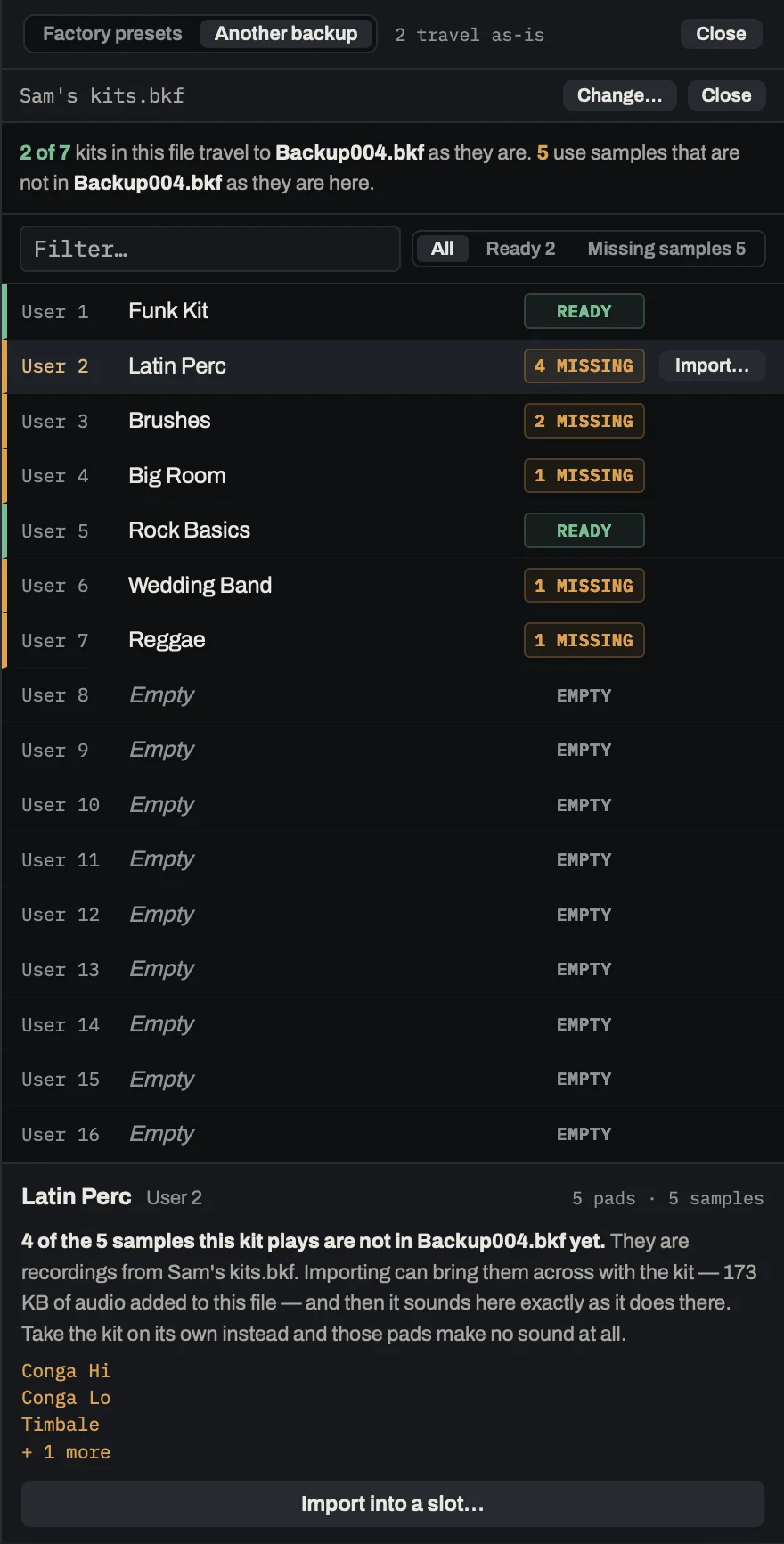
Copy kits between backups
Take a kit from an old backup or the factory presets. Your other kits stay as they are.
- Samples come with the kit
- Drop it into any of the 70 slots
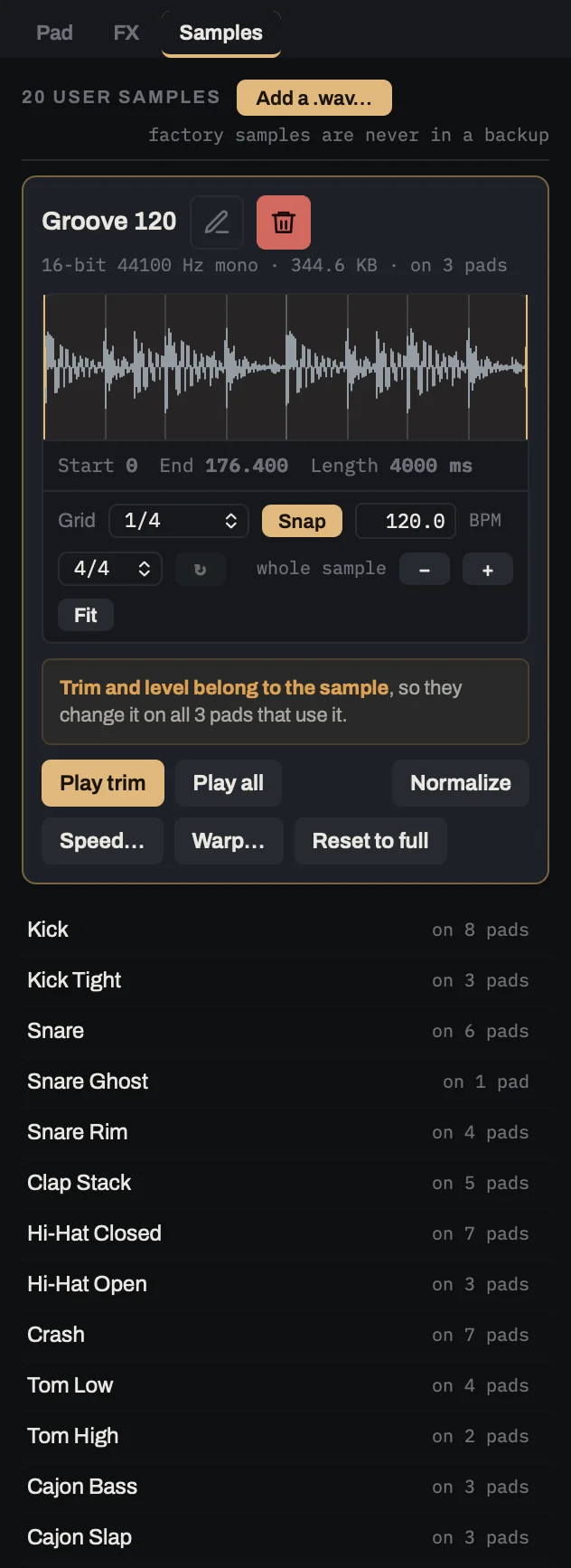
Your own samples
Add your sounds, name them and trim them.
- Any WAV file, converted the way the pad converts it
- Trim to a grid and a tempo
- See which pads use each sample
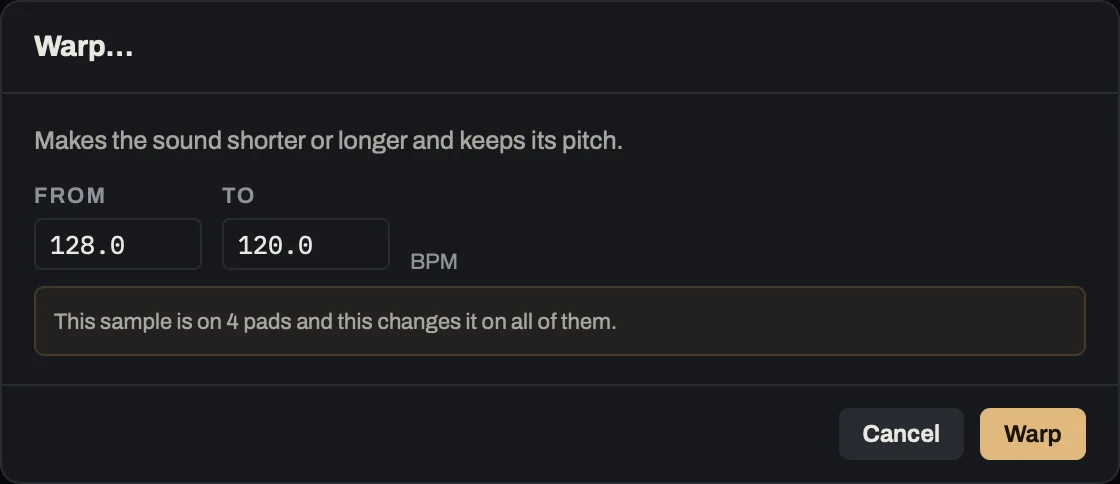
Fit loops to the kit’s tempo
Warp makes a loop faster or slower and keeps its pitch.
- Type the loop’s tempo and the one you want
- Or use the Speed button, which changes the tempo and the pitch together
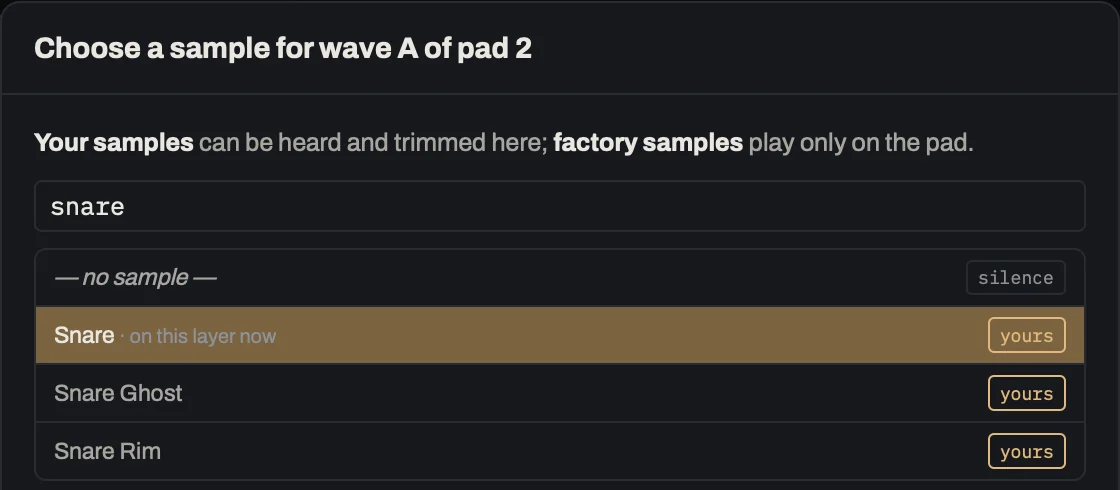
Find any sound by name
Type part of a name and pick from your own samples and the pad’s 8,000 factory sounds.
I’ve played a Strike MultiPad since 2019. Building kits on its screen was slow, and loading an old backup meant losing the kits I’d made since. So I wrote the editor I wanted.
Price
$59once
Try it on your own backups first: everything works except saving.
Coming soon
The checkout shows the price in your own currency.
Questions
Is this made by Alesis?
No, it’s independent.
What happens when I load a backup on the pad?
It replaces all the kits on the pad with the ones in the backup.